FieldAware is an all-in-one field management software tool with built-in capabilities that simplify core business processes. It automates payments, schedules invoicing, and tracks inventory.
The app is best suited for small-scale trade businesses that manage field crews.
This review is for service business owners who are comparing FieldAware with alternatives to find a tool that fits their needs.
In this review, you’ll get a clear overview of the FieldAware application, its features and benefits, and honest user feedback to help you decide whether it suits your business needs.
All the information in this article is thoroughly researched, accurate, and consistent with the findings on FieldAware’s website and customer reviews.
Disclaimer: The information in this review is accurate as of July 2026 and is subject to change as FieldAware updates its platform.
FieldAware Review Overview
FieldAware has the following ratings on different review sites:
FieldAware pricing isn’t publicly available. To get a quote, you’ll need to reach out to the sales team.
The key FieldAware features are:
Time tracking: Technicians can clock in and out, while office staff can monitor the time they spend in the field.
Scheduling and dispatch: With the FieldAware application, operators can assign jobs to technicians based on availability, location, and skill set.
Job tracking: FieldAware provides real-time visibility into field operations by automatically updating worker activity as it occurs on site.
Inventory tracking: FieldAware enables you to track the quantity of equipment and materials in the store, in vans, and in the field. It automatically alerts key personnel when stock levels are low.
The #1 newsletter for the trades.
As of July 2026, G2 reviewers and real users on Capterra point to the following FieldAware pros:
Cloud-based, so details logged in the field automatically sync with the office.
Simple, intuitive interface for both office staff and field technicians.
Mobile-friendly app that works smoothly for technicians on the go.
Smart job allocation that suggests the right worker based on skill, location, and availability.
As of July 2026, G2 reviewers and real users on Capterra point to the following FieldAware drawbacks:
Payments can't be applied until a job is fully invoiced, slowing down billing.
Reporting is limited, making in-depth analysis difficult.
Key features are restricted to a limited number of users, creating bottlenecks.
FieldAware is best for:
Small to midsize businesses with multiple fleets working concurrently across different jobsites.
FieldAware Features
FieldAware provides a wide range of features that help a field management business stay organized. They can be divided into two broad categories:
Features for the field
Features for the office
In-the-Field features
These features help eliminate the back-and-forth between the office and the field.
The central office can communicate changes to field technicians, while technicians can quickly confirm quotes and addresses and view past job history directly within the FieldAware platform.
Here’s a list of the in-the-field features:
Field technician enablement: Provides a mobile app and other tools technicians need to perform their field tasks. Through the mobile app, they can access job details, service histories, maps, customer preferences, and even inventory levels in real time.
Knowledge management: This feature ensures seamless information flow between the office and the field. Field techs can upload job task lists and critical job documents such as equipment instructions, warranty information, jobsite videos and photos, safety checklists, and repair notes.
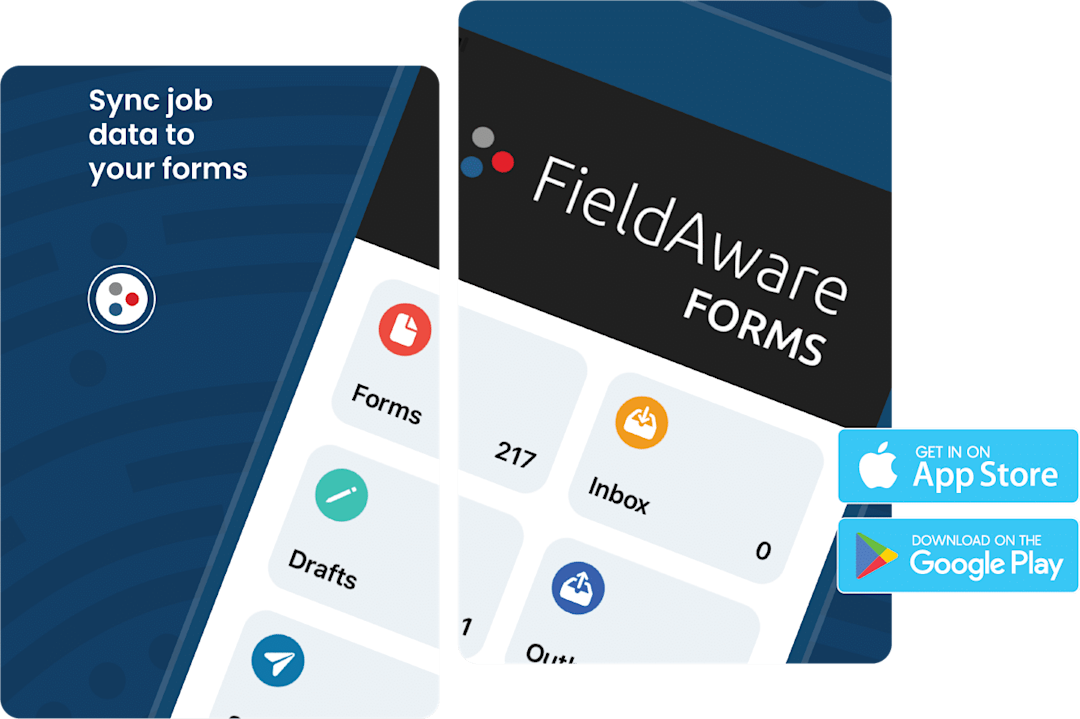
Mobile forms: FieldAware has an integration that synchronizes field-collected data to support decision-making. You can also complete and send electronic sign-offs from the field.

In-the-Office features
In–the-Office tools connect managers to the field and support the day-to-day running of the business:
Asset management: With the FieldAware app, managers can monitor all business assets, such as materials, equipment, and tools, —and know their current condition.
Scheduling and dispatch: This option helps allocate technicians, materials, and tools to the locations where they are needed.
Invoicing: Once a job is completed, technicians can log hours, materials, and service details through the mobile app, which automatically generates an accurate invoice for review and delivery.
Reporting and insights: In FieldAware, you have 12 built-in standard reports and an easy-to-use report builder that you can customize to your preferences.
FieldAware Integrations
FieldAware can be integrated with multiple tools to improve everyday business processes and streamline field service operations.
Some key FieldAware integrations include:
QuickBooks
CentralBOS
NetSuite
You can also visit the official FieldAware App Marketplace to search for other tools that can be integrated with FieldAware.
FieldAware Mobile App

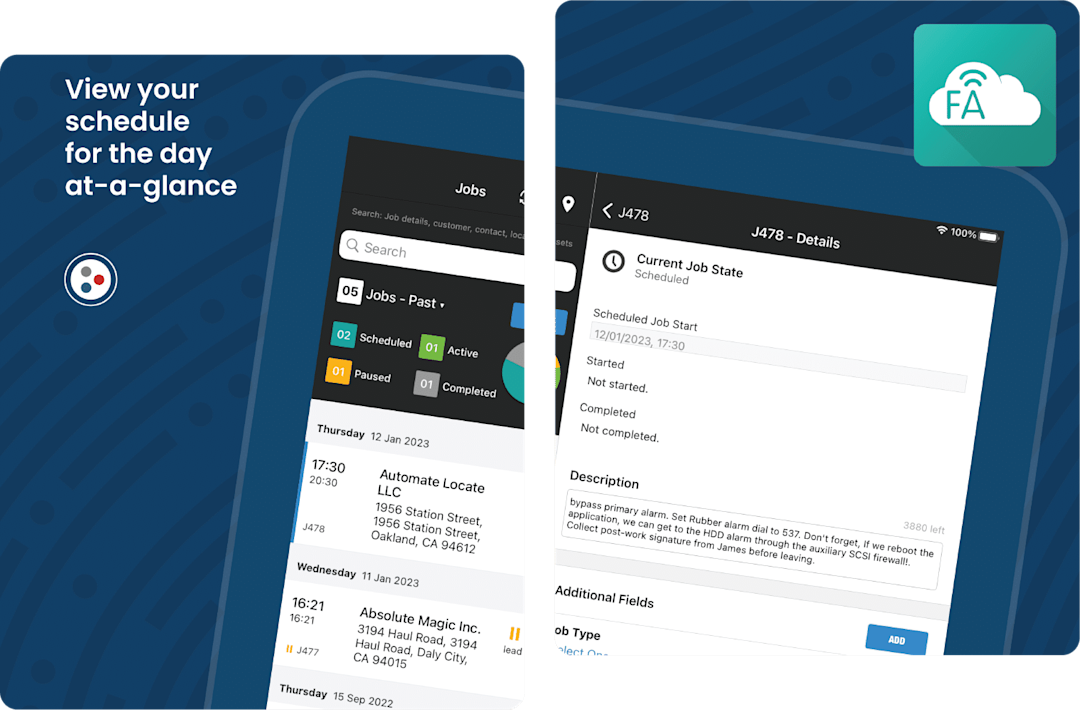
FieldAware's mobile application helps field workers, dispatchers, and managers perform basic tasks, such as invoicing and job management.
It has an offline capability that allows technicians in the field to upload data without a data connection.
Some of the app’s features include:
Mobile forms and checklists
Integrated invoicing
Inventory and asset tracking
Photo capture and documentation
Each technician has a personal dashboard, so when they log in, they can see their assigned tasks for the day, which have already been updated on the back end by the dispatchers.
If the schedule changes, dispatchers can let the techs know via the mobile app.
FieldAware AI Capabilities
FieldAware uses AI to automate scheduling, dispatching, invoicing, and inventory management, reducing the time required for these activities.
FieldAware’s AI capabilities come in the form of:
Smart Scheduler: This tool automatically schedules large batches of technician routes in just a few minutes, taking into consideration key factors such as each technician’s skill level, location, and job time windows.
AI-Powered Driver Cameras: These monitor drivers’ behavior on the road. When there’s an accident, they can determine who is at fault and automatically deliver an accident report to the business owner.
FieldAware Support
FieldAware provides comprehensive support for all field service and software issues, as well as expert guidance throughout setup and post-launch.
Support is divided into the following:
Solution consulting: A dedicated set of solution consultants who help clients select features that fit their unique business needs.
Implementation: Supports clients throughout the entire implementation lifecycle.
Training and education: FieldAware University offers client training, individual customer web-based training, monthly webinars on general topics, and an on-demand video library.
Customer success: Customer success managers work directly with customers to provide direction throughout the software's use.
Technical customer support: A team is available 24/7 to help with technical issues. You can contact any support team through direct chat in the software.
FieldAware Security
FieldAware prioritizes data security through strong access controls and encrypted data management.
User passwords are stored using a one-way, salted hash, are never logged in, and are automatically reset to secure, random values.
Comprehensive user activity logs—capturing time, user ID, and actions—are maintained for at least 90 days to support accountability.
FieldAware’s data centers operate 24/7 and are certified under the SOC 2 Type 2 standard, ensuring strict physical and digital protection.
FieldAware Pros and Cons
FieldAware provides a range of tools designed to enhance how service businesses operate, though it’s not without a few drawbacks.
To give a balanced perspective, we gathered insights from actual platform users.
Here’s a summary of what they had to say on review sites like Capterra and G2, as of July 2026:
FieldAware pros
Here’s a list of FieldAware positives, according to their user base:
Accessibility: Users can securely log into the platform from any location with a simple sign-on, enabling real-time collaboration and flexibility for field and office teams.
Easy task allocation: Users say the software makes it easy to manage employees and jobs in real time. You can quickly create job entries, assign tasks based on each worker’s skills, and even get suggestions on who’s best suited for new tasks as they come up.
Customizable fields and workflows: Users say FieldAware lets them tailor fields and workflows to match how their business actually operates. This flexibility makes it easier to capture the specific information each job requires and adapt the software to how the business operates.
FieldAware cons
Based on reviews, users experience the following drawbacks when using FieldAware:
Limited time tracking granularity: Users say the software can only track a technician’s total time for an entire job, not the time spent on each individual task. That means managers can’t see how long specific tasks take, making it harder to calculate true labor costs or profitability for each service.
Unintuitive refund process: Users complain that the refund process is confusing and often doesn’t work as expected. On top of that, the system doesn’t allow them to apply payments made during a work order or estimate until the job is fully completed and invoiced. This slows down billing and creates unnecessary frustration for both staff and customers.
Limited user access: FieldAware restricts access to certain features based on user limits. This means only a few team members can use key functions, which slows down operations and creates bottlenecks when others need to step in.
FieldAware Alternative
For contractors evaluating FieldAware, some reviews suggest limitations in real-time task tracking, refund management, and support for multiple users.
If you’re looking for a platform that addresses these gaps, ServiceTitan is worth considering.
Below is a closer look at the standout features that give ServiceTitan an edge over FieldAware:
Auto-updating visual pricebook
Without a built-in pricebook, FieldAware users have to either purchase another tool or manually manage pricing for their services, to try and avoid these issues:
With no access to a centralized pricebook, technicians and office staff may quote different prices for the same service, diminishing customer trust.
Any price changes, such as material costs or seasonal adjustments, must be updated in multiple tools and spreadsheets, creating extra admin work.
Since prices aren’t automatically linked to job data, it’s harder to calculate accurate profit margins or track cost overruns.
ServiceTitan offers a built-in pricebook that lets you organize the prices for all your materials, tools, and services in one place, with detailed photos and videos.

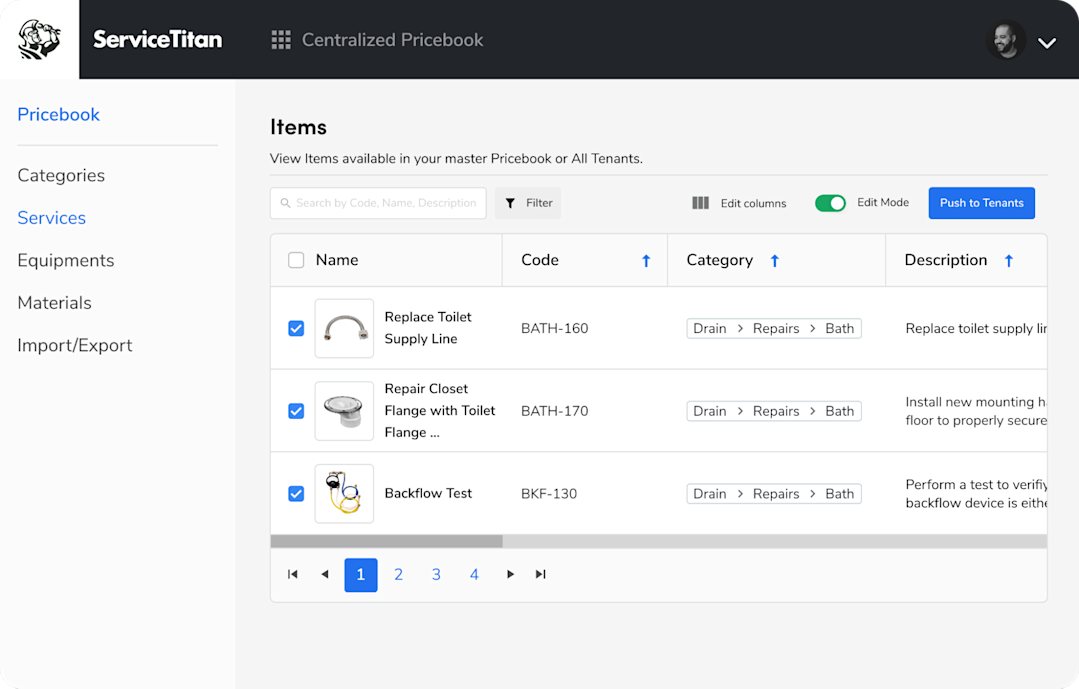
To prevent unnecessary admin work, the software integrates directly with the catalogs of top suppliers and manufacturers.
This integration gives technicians access to high-quality product images, making it easy to create clear good-better-best estimates for customers.
When suppliers update their prices, the changes automatically sync to your pricebook, so your team always quotes accurate, up-to-date prices, even when market costs fluctuate.
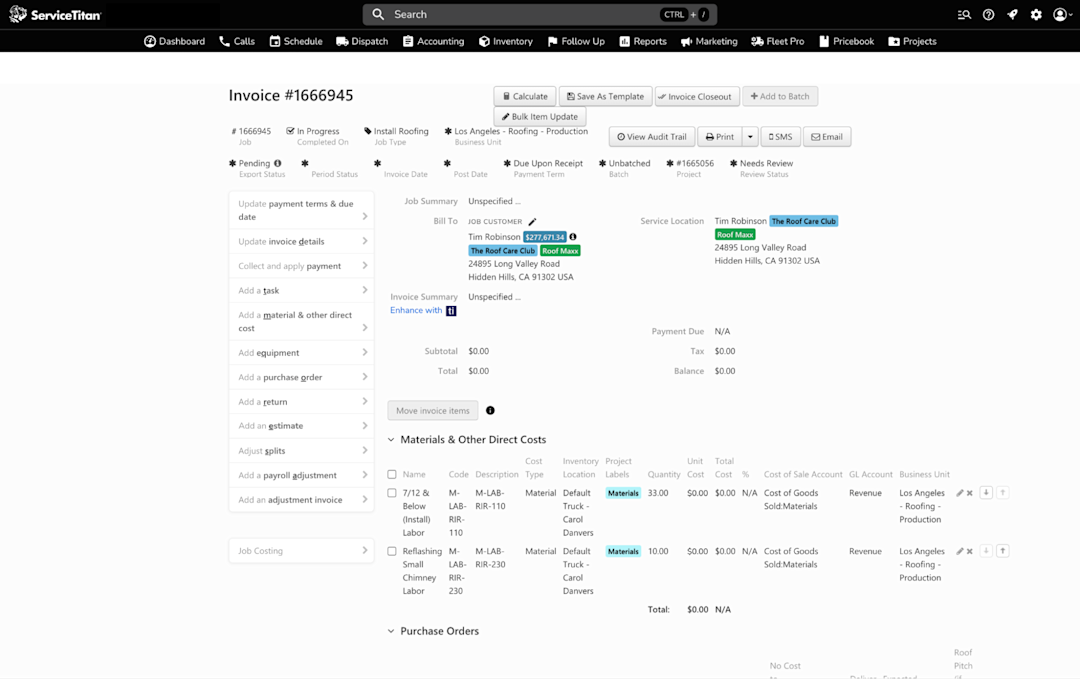
Stage-based invoicing and partial payment processing
This feature lets home service companies generate invoices based on the progress of a job, rather than waiting until it is fully completed.
For example, you can bill a customer after the inspection phase, again after materials are installed, and finally when the job is finished.
If a customer requests a refund or only needs to pay part of an invoice, ServiceTitan lets you create an adjustment invoice. This adjustment automatically updates the original invoice and keeps your accounting records accurate by reconciling the changes with your payment records or bank statement.

Deep reporting capability
ServiceTitan provides robust business reporting tools for service business owners. The Field Reporting tool provides a customizable dashboard that lets you monitor the performance indicators that matter most to your business.
You can:
View revenue patterns and performance trends across daily, weekly, or monthly timelines.
Filter and organize transactions by specific business units or custom date ranges.
Access up-to-date insights with real-time, cloud-based synchronization.

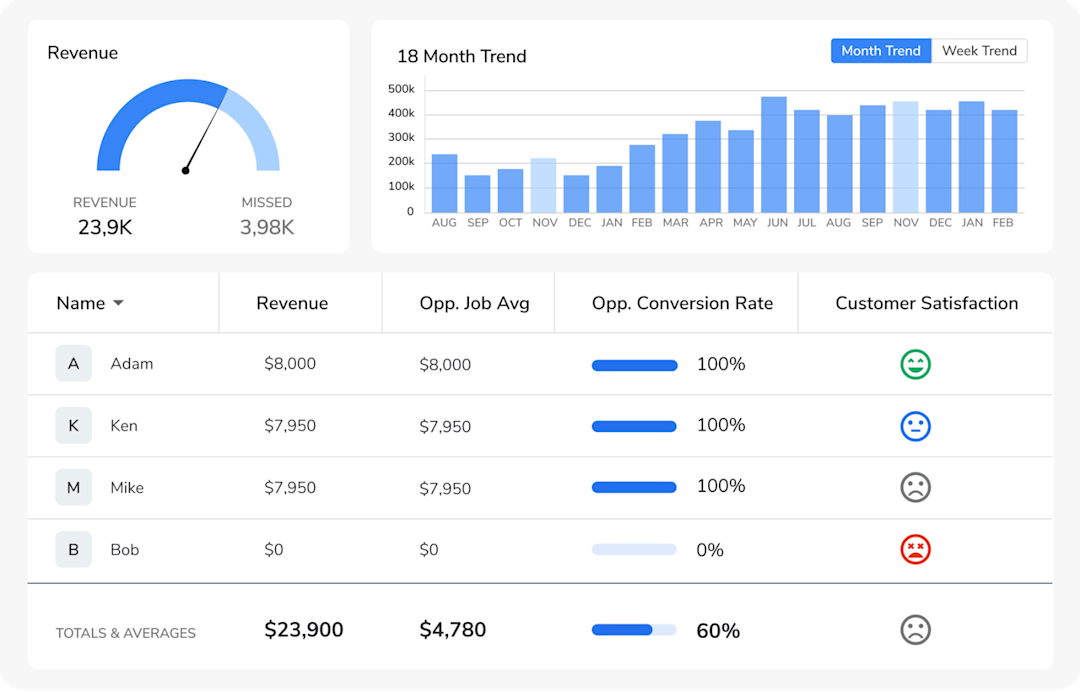
You can click on any metric to get detailed insights into your business performance.
If you’re tracking employees, you can also open their individual profiles to view performance scorecards that break down key areas, including productivity, job completion rate, and customer satisfaction.
Online payment and customer financing
Instead of relying on paper invoices or delayed transactions, customers can review proposals, sign electronically, and complete payments instantly—whether through the technician’s tablet or their own phone.
In situations where they can’t pay the full amount, ServiceTitan lets you offer financing options so the customer can pay in installments. They can apply for it in the field and receive immediate approval.

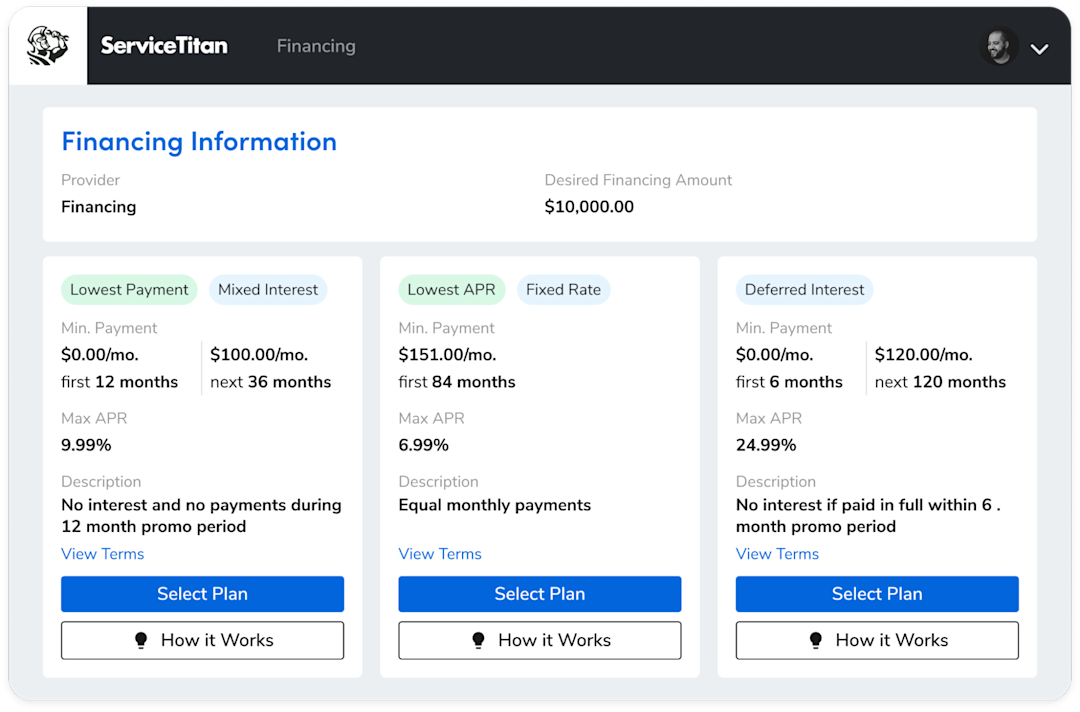
This helps businesses close more jobs, accelerate revenue, and deliver a modern, hassle-free payment experience.
Want to see ServiceTitan in action? Book a demo now.
ServiceTitan is a comprehensive tool that helps trade businesses manage dispatching, monitor techs' performance, automate follow-ups, and open doors for more opportunities.
The solution is used by thousands of contractors nationwide. ServiceTitan is built to help businesses drive efficiency, use accurate data, and deliver a positive customer experience.


Frequently Asked Questions (FAQs)
Who uses FieldAware?
FieldAware is a great software solution for small-scale trade businesses that manage field crews.
Is FieldAware a CRM platform?
No, it is mainly a field service management software program designed for scheduling, dispatching, inventory, and time tracking. If you want to automate customer and sales engagement, you will need home service business software like ServiceTitan with a built-in CRM.
What trades and industries does FieldAware help?
FieldAware is great for home service businesses across industries such as HVAC, plumbing, electrical, and roofing.
Can you use FieldAware for free?
FieldAware doesn’t mention a free trial on its website. Instead, the company offers a free demo, so prospective users can see the platform in action before committing.
Does FieldAware have an API?
Yes, FieldAware has an API.
ServiceTitan Software
ServiceTitan is a comprehensive software solution built specifically to help service companies streamline their operations, boost revenue, and substantially elevate the trajectory of their business. Our comprehensive, cloud-based platform is used by thousands of electrical, HVAC, plumbing, garage door, and chimney sweep shops across the country—and has increased their revenue by an average of 25% in just their first year with us.