Fire inspection apps are software tools that help fire protection contractors and inspectors manage Inspection, Testing, and Maintenance (ITM) work digitally. This includes completing National Fire Protection Association (NFPA) compliant checklists in the field, tracking deficiencies through resolution, and generating audit-ready reports.
Fire inspection reporting software supports several core tasks. It schedules recurring inspections, captures photo-documented findings on site, and syncs data without relying on constant connectivity. It also turns deficiencies into billable follow-up work instead of losing them in a paper trail.
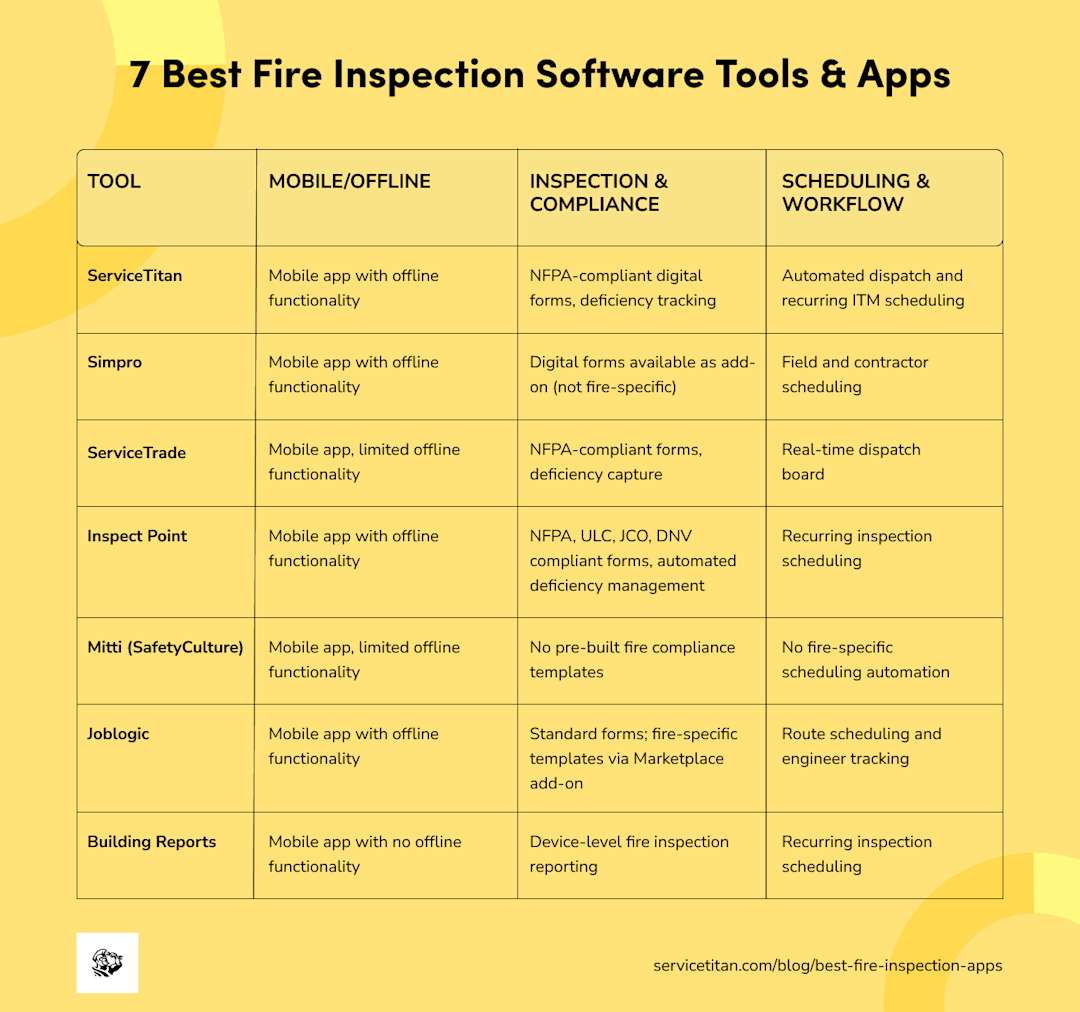
Seven of the best software systems and applications for fire inspection are listed below:

Disclaimer: This article was created by ServiceTitan, a commercial fire safety software provider, and includes its own software. The blog post was last updated in October 2026 and reflects the author’s perspective, not an independent editorial review. The apps were evaluated using public website information and user reviews on G2 and Capterra. The order is random and doesn’t represent a ranking system. ServiceTitan has no affiliate or commercial ties to the other software providers listed.
The #1 newsletter for the trades.
1. ServiceTitan

(Source: ServiceTitan)
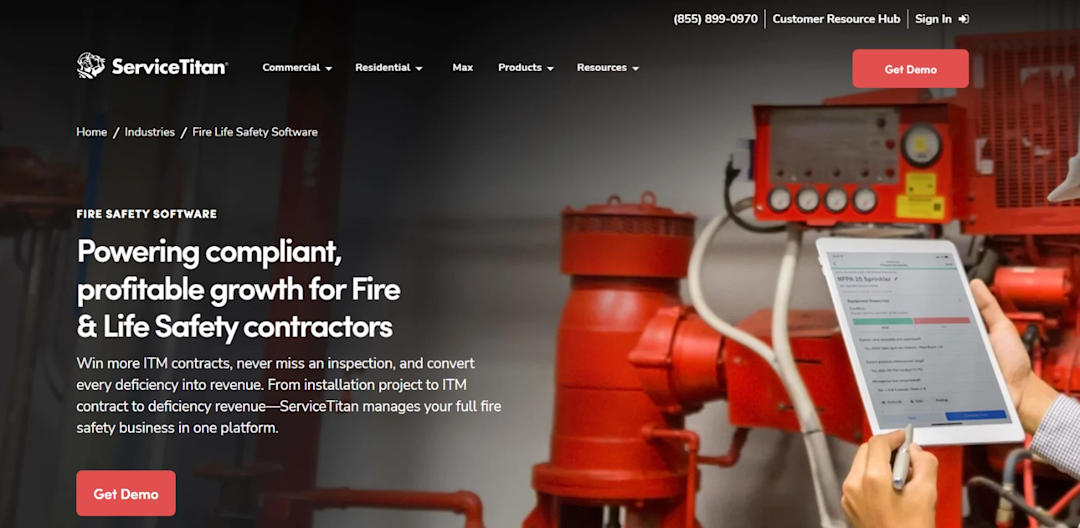
ServiceTitan’s Commercial Fire Safety Software is a business management platform built for contractors who need more than a standalone inspection app. It connects scheduling, dispatch, inspection documentation, and deficiency tracking with the rest of the business (invoicing, reporting, and customer records) in one system.
Beyond ITM inspections, ServiceTitan supports the full lifecycle of fire and life-safety work: booking calls, dispatching technicians, generating estimates for deficiency repairs, and closing out billing once remediation is complete.
Best for: Fire protection and life-safety businesses that want inspection workflows fully integrated with scheduling, sales, and financial operations.
Pros:
Reviewers on G2 highlight these strengths:
Automated routing cuts drive time and fits more jobs into technicians’ days without manual scheduling effort.
Reporting is extensive, with an audit trail covering all account activity.
Field and office stay connected in real time, from dispatch through on-site invoicing.
Cons:
Reviewers also flag some friction points:
Initial setup takes time, with a learning curve to get the system dialed in.
Contracts can make it difficult to exit add-on Pro products once signed.
Costs climb quickly as businesses add Pro products on top of the base platform.
Top features:
Digital inspection forms built for NFPA compliance, reducing manual data entry in the field.
Deficiency tracking from discovery through resolution, so findings turn into billed work.
Automated scheduling and dispatch for recurring ITM work, which keeps inspection cycles on track without manual tracking.
Inspection forms
Inspection forms in ServiceTitan are digital, customizable checklists technicians use to complete NFPA inspections for fire extinguishers and other systems directly in the field.
Rather than filling out paper forms and re-entering data back at the office, technicians complete structured checklists on a mobile device. Then the system automatically generates an audit-ready report once the inspection is complete.

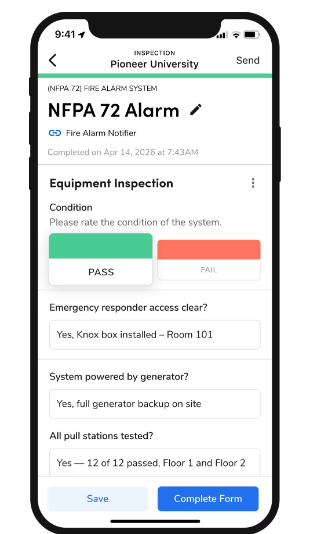
This helps contractors maintain consistent documentation and provide inspection records when the authority having jurisdiction (AHJ) requests them.
Deficiency tracking
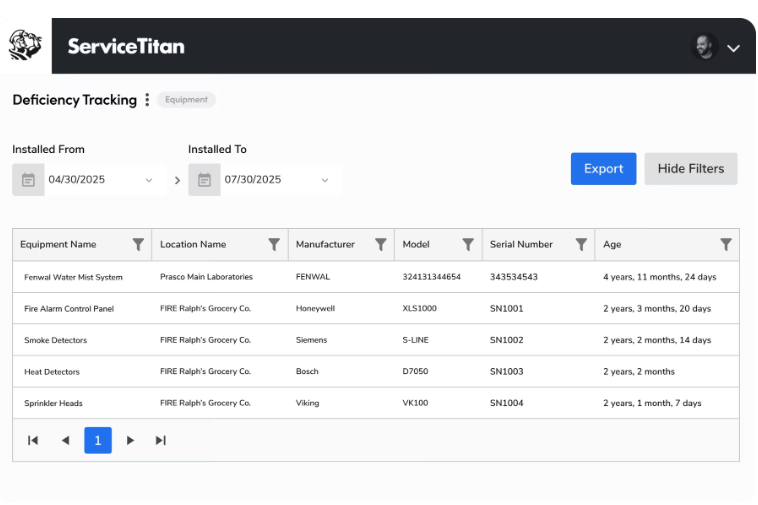
Deficiency tracking lets technicians document issues with photos and notes at the point of inspection, then follow each finding through to resolution.
Instead of tracking deficiencies in spreadsheets, contractors can generate repair quotes from documented findings, notify customers, and monitor each deficiency's status through resolution.

Scheduling & dispatch
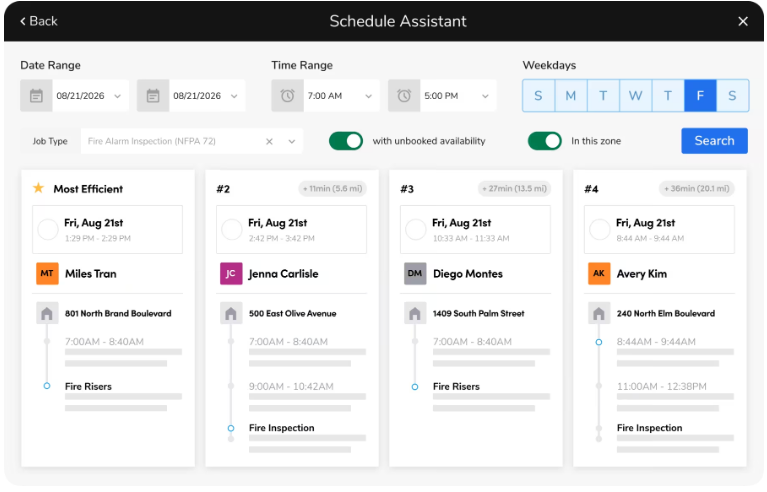
ServiceTitan automates recurring ITM inspection scheduling, so businesses don’t have to manually track when each system is due for its next inspection.
Dispatchers can assign technicians based on availability, location, and relevant skills, helping businesses coordinate inspections across multiple properties. This workflow automation can make a big difference as your account list grows.

Equipment scanning
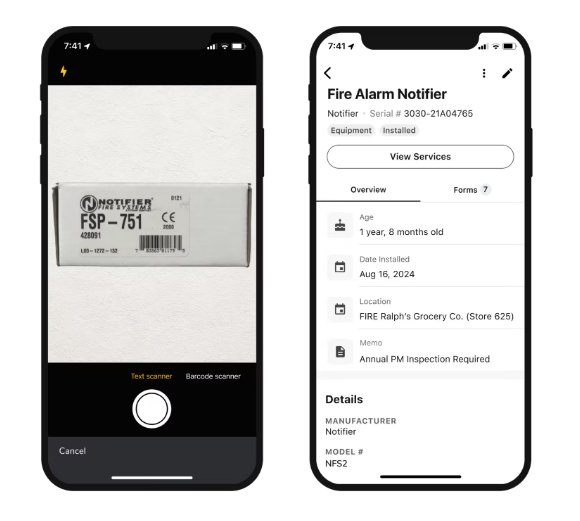
Technicians can scan equipment barcodes or QR codes to access existing asset records, or use nameplate scanning to automatically capture details such as model and serial numbers. This reduces manual data entry and helps keep equipment records current across inspections.

2. Simpro

(Source: Simpro)
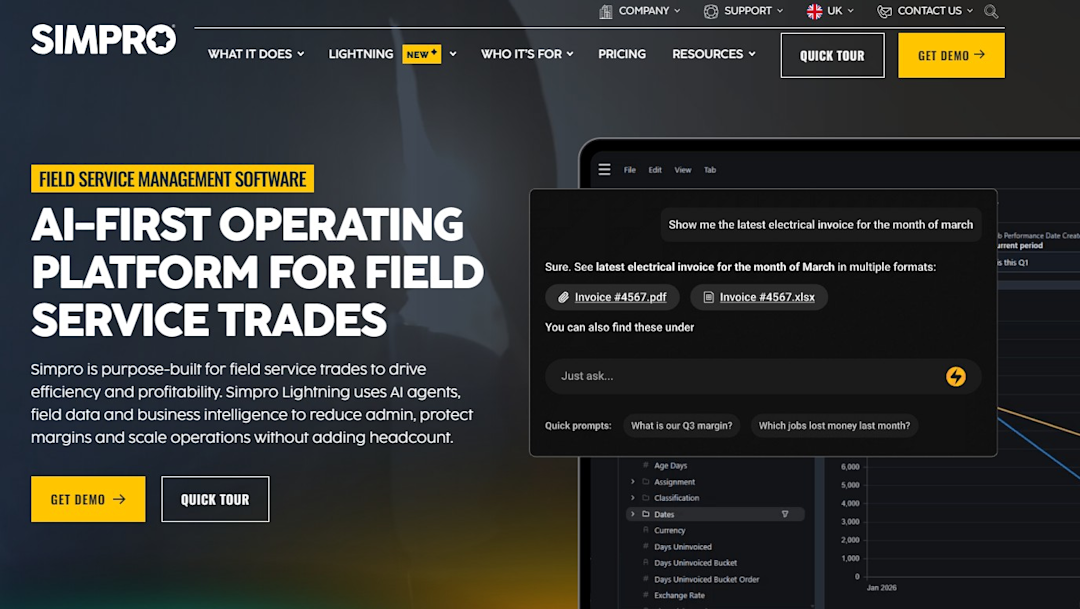
Simpro is an AI-first job management platform built for trade and field service businesses. It covers everything from quoting and invoicing to project management and inventory.
Simpro is used across trades, including fire protection, fire alarm services, plumbing, and electrical, and it has strong reporting and accounting integrations.
Best for: Trade businesses that want project management and margin visibility alongside standard field service tools.
Pros:
G2 reviewers report the following:
Mobile access replaces paper-based job tracking in the field
Gross profit margin visibility helps businesses see performance clearly
Handles more work with leaner staffing once set up
Cons:
They also flag these issues:
Pricing and account lockouts are recurring frustrations for some users
Support response times can be slow when issues come up
Ongoing price increases create long-term cost concerns
Top features:
Quote-to-invoice workflow with project management functionality
Mobile app for field technicians
Reporting and accounting integrations, including Xero
3. ServiceTrade

(Source: ServiceTrade)
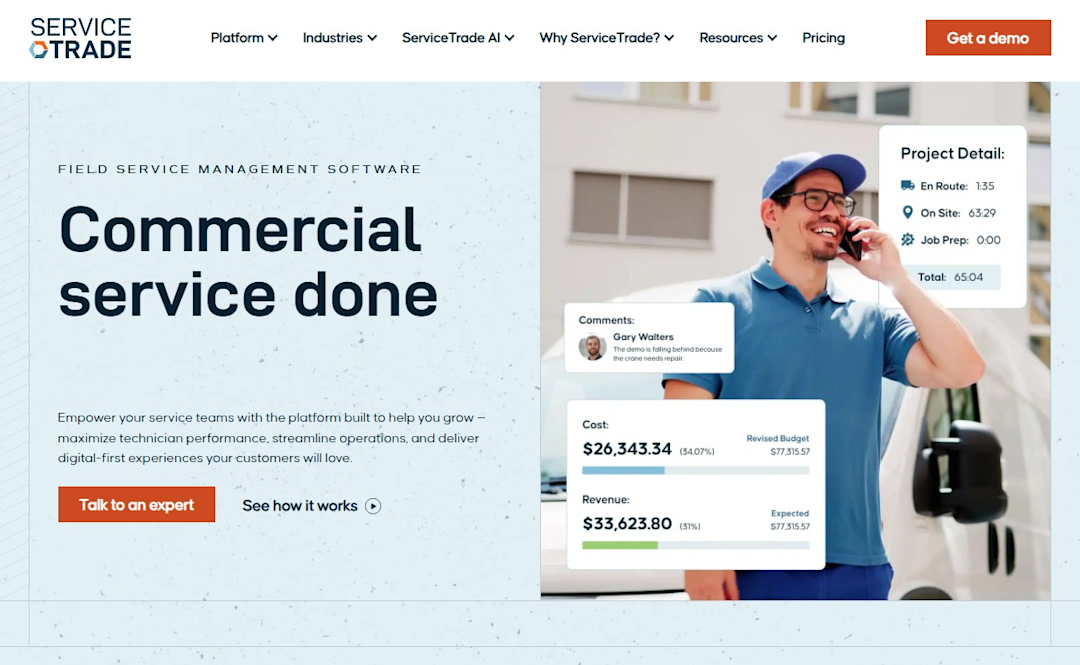
ServiceTrade is a field service platform built specifically for the mechanical, fire, and security industries. It focuses on real-time job tracking, asset history, and on-site billing, with a strong presence among commercial contractors managing recurring service work.
Best for: Fire and security contractors who want asset-level history visible to every technician on every visit.
Pros:
G2 reviewers report the following strengths:
Technicians can see full asset and location history on site, so every visit is informed by previous work.
Built specifically for mechanical, fire, and security contractors rather than trades generally.
Real-time job tracking gives visibility into progress as work happens.
Cons:
They also highlight these issues:
Third-party form integrations, including building report tools, can create data quality issues.
Bugs and syncing issues surface periodically, particularly after updates.
Unannounced changes to integrations have disrupted some workflows.
Top features:
Real-time dispatch board with live job tracking
Asset and location history accessible to field technicians
On-site billing and appointment management
4. Inspect Point

(Source: Inspect Point)
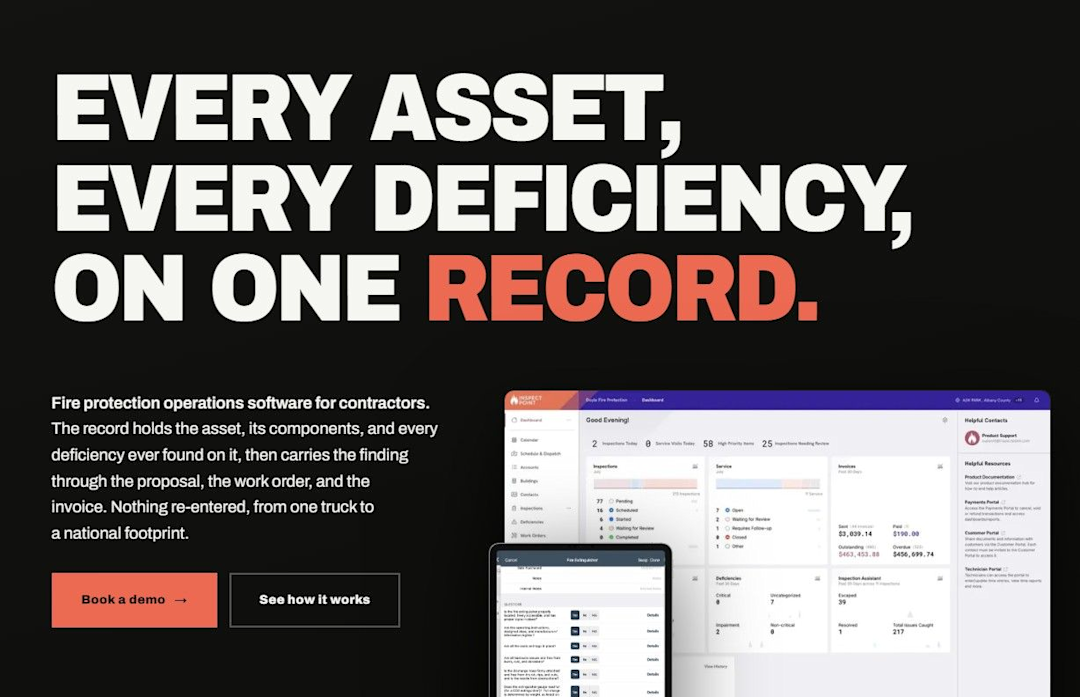
Inspect Point is a fire inspection app built specifically for fire protection contractors, focused on field inspections, deficiency documentation, and reporting. It’s a purpose-built inspection tool rather than a broader field service platform.
Best for: Fire protection contractors who want a dedicated inspection tool focused specifically on field inspection workflows.
Pros:
Compared to other tools on this list, Inspect Point has very limited third-party reviews:
Field inspection workflow is straightforward, helping technicians organize inspections and completed services.
Functions without an Internet connection, even in the field.
Converts captured deficiencies directly into quotes, proposals, and work orders.
Cons:
Here’s what Capterra reviewers flag about Inspect Point:
Deficiency entry fields are cramped and difficult to work with in the field.
Requested features that inspectors need are sometimes acknowledged but not implemented.
Top features:
Field inspection checklists and workflow organization
Deficiency documentation
Reporting for completed inspections and services
5. Mitti (by SafetyCulture)

(Source: Mitti)
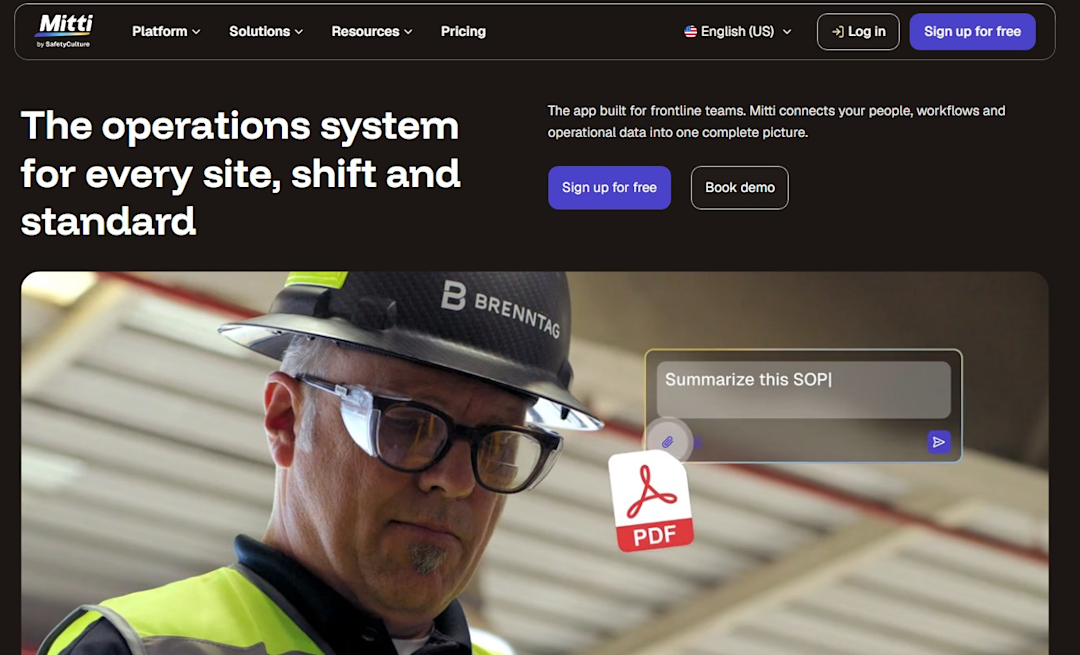
SafetyCulture rebranded to Mitti in August 2026, expanding from a safety and inspections app into a broader operations platform. It remains widely used for digital checklists and audits across industries, including inspection-heavy fields like fire and life safety.
Best for: Teams that want a flexible, cloud-based checklist and audit tool that can be customized across different inspection types.
Pros:
Here’s what G2 reviewers appreciate in Mitti:
Cloud-based access works across phones, laptops, and tablets, keeping teams connected in the field.
Strong integrations and overall performance, with easy audit customization.
Supports conditional actions and training assignments tied directly to inspection responses.
Cons:
This is what they wish SafetyCulture could improve:
No logic-based question branching, so unexpected changes (like an added inspection item) require creating a separate inspection.
Scheduling recurring inspections is time-consuming and past data doesn’t always migrate cleanly through updates.
Per-user pricing feels steep to some users relative to the value delivered.
Top features:
Customizable digital checklists and audit templates
Conditional actions, corrective actions, and training module assignments
Cross-device cloud access for field and office teams
6. Joblogic

(Source: Joblogic)
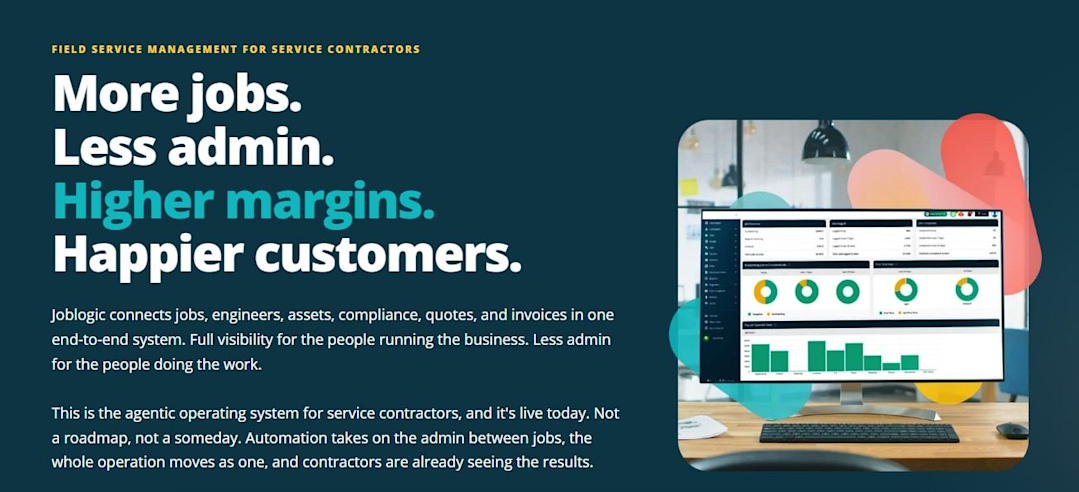
Joblogic is a field service management platform with scheduling, dispatching, job tracking, asset management, invoicing, and reporting in one system.
It’s used across trades for managing the full job life cycle, from initial booking to compliance checklists and billing.
Best for: Field service businesses that need a centralized, all-in-one platform to replace paper-based job tracking.
Pros:
Here’s what reviewers note on Capterra:
Job scheduling logic is solid, with reliable real-time sync between field technicians and the back office.
Combines scheduling, dispatching, job tracking, asset management, invoicing, and reporting in one platform.
Mobile access lets technicians pull up job details, asset histories, and compliance checklists on site.
Cons:
They also flag limitations of Joblogic, such as:
API rate limits and outdated documentation create friction for teams building custom integrations.
The learning curve is steep early on, with connections between features not always obvious.
The interface shows some usability and performance quirks despite strong core functionality.
Top features:
Scheduling, dispatching, and job tracking in one system
Asset management and compliance checklists accessible in the field
Invoicing and reporting tied to the job life cycle
7. BuildingReports

(Source: BuildingReports)
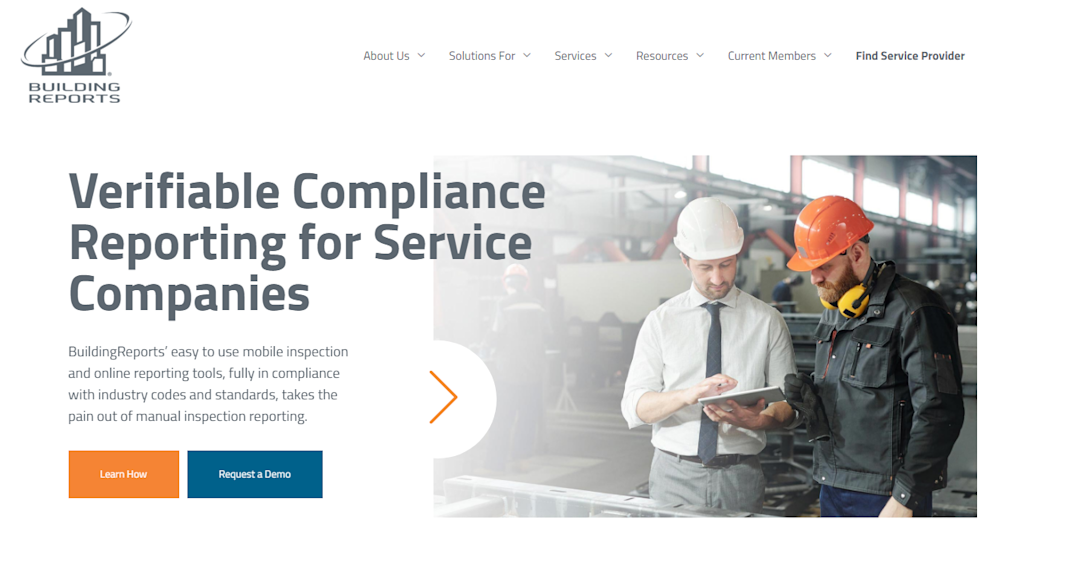
BuildingReports is a fire and life-safety inspection reporting platform that technicians use to document device-level inspections and give customers direct access to their reports.
Best for: Fire protection contractors who need customer portal access for reports alongside field documentation.
Pros:
Third-party reviews of BuildingReports are very limited compared to other tools on this list. Here’s what reviewers on Capterra and G2 have said:
The app is consistent and reliable in day-to-day field use, with few glitches.
Technicians and customers can track service history and see what’s due for future inspections.
Customers can log in directly to view their own reports.
Cons:
Here’s what they flagged as issues:
Generated reports haven’t always met minimum state statute requirements for some users.
Recurring inspection scheduling can be inflexible without a clear monthly view of what’s actually due.
Editing equipment and zone details can be “tricky.”
Top features:
Device-level fire and life-safety inspection reporting
Customer-facing report access
Recurring inspection scheduling
What Are the Best Free Fire Inspection Apps?
Among the seven tools compared above, only Mitti (by SafetyCulture) offers a genuine free plan, for up to 10 users, that includes basic inspection templates, tasks, and analytics.
It’s not specific to fire prevention, so you’ll need to build NFPA-compliant forms yourself, but it’s the only no-cost option on this list. The other tools offer a demo and run on quote-based pricing, with no free tier available.
Outside this list, a couple of other options are worth knowing:
GoAudits: Offers a free plan for building and running basic digital checklists, including fire-related templates. Paid plans start around $10/user/month for more advanced features.
Joyfill: A fire inspection app with a genuine ‘free forever’ plan, no credit card required. It includes offline entry, a native mobile app, deficiency capture with photos, e-signatures, and a built-in library of NFPA-aligned forms covering NFPA 10, 25, 72, 80, and 96.
For most fire protection businesses running recurring ITM work, a free tool eventually becomes limiting, since compliance reporting, deficiency tracking, and scheduling at scale typically require dedicated, paid software.
What Are the Best Residential Fire Sprinkler and Alarm Software Apps?
Most of the fire-specific tools on this list (ServiceTrade, Inspect Point, and BuildingReports) are built primarily for commercial fire protection contractors managing recurring inspection contracts across large buildings.
Broader home-services platforms that support fire and life-safety work often serve residential fire sprinkler and alarm businesses better:
ServiceTitan: Rooted in residential home services (HVAC, plumbing, electrical). Fire protection support was built into its broader platform, making it a strong fit for residential fire sprinkler and alarm companies that also want scheduling, invoicing, and marketing tools built for homeowner-facing work.
Simpro: Also spans residential and commercial trades, giving fire sprinkler and alarm businesses project management and quoting tools without being locked into a commercial-only inspection workflow.
Mitti (by SafetyCulture): A lightweight, free-tier option for small residential teams that mainly need basic digital checklists rather than full-service management.
For residential businesses, the right choice usually comes down to how much of the platform supports homeowner-facing work versus large commercial accounts.
What Are the Best Commercial Fire and Life Safety Inspection Apps for Small Businesses?
The tools built for large commercial fire protection enterprises often come with pricing and complexity that doesn’t make sense for an operation with 1-15 technicians.
A few platforms are positioned specifically for that smaller scale instead:
QuoteIQ: An all-in-one CRM, scheduling, estimating, invoicing, and inspection documentation platform with pricing starting at $29.99/month.
Ember Software: A fire-protection-specific platform built around automation, deficiency-to-proposal conversion, and one-click AHJ submission. Pricing isn’t published and requires requesting a demo directly.
ZenFire: Built specifically for fire protection, with NFPA-compliant digital forms (covering NFPA 10, 13, 25, 72, and 80) and QuickBooks integration. Pricing isn’t published—you have to contact the vendor.
For small fire-protection businesses, the bigger differentiator is often whether the software was built for the trade or adapted from a general field service tool.
Fire-specific platforms come with NFPA forms and AHJ workflows already in place, which saves setup time that a generic tool would require from scratch.
Features to Look For in Fire Inspection Software Apps
The right fire inspection software should perform well under field conditions. Here’s what to prioritize when comparing options:
Mobile and offline functionality: Technicians work in basements, stairwells, and buildings with poor signal. The app should let inspectors complete and save work offline, then sync automatically once connectivity returns.
NFPA compliance and code-specific forms: Look for pre-built templates covering the codes relevant to your business (NFPA 10, 25, 72, 80, and others), rather than generic checklists you have to build and maintain yourself.
Deficiency tracking through to resolution: A deficiency found during inspection should stay attached to the job record until it’s fixed, ideally with photos, notes, and a clear path to a billable repair.
Scheduling and recurring inspection management: ITM work is cyclical. The software should automatically track when each system is due for its next inspection, instead of you manually checking a calendar.
AHJ report submission: Some platforms integrate directly with compliance networks like The Compliance Engine for one-click submission to local authorities, which saves time over manual filing.
To choose the right platform, you’ll need to weigh these features against your business size and budget.
Looking for a Fire Inspection App for Streamlining Inspections and Compliance?
Choosing fire inspection software means finding a tool that fits your business, whether that’s a purpose-built inspection app, a broader field service platform, or something in between.
Looking for an all-in-one solution? ServiceTitan brings scheduling, dispatching, and invoicing together in one platform, making it worth considering for service businesses ready to streamline their operations.
Request a demo to see how it fits your fire and life-safety operations.
ServiceTitan connects inspection forms, deficiency tracking, scheduling, and equipment scanning with the rest of your business, so nothing gets lost between the field and the office.


ServiceTitan Software
ServiceTitan is a comprehensive software solution built specifically to help service companies streamline their operations, boost revenue, and substantially elevate the trajectory of their business. Our comprehensive, cloud-based platform is used by thousands of electrical, HVAC, plumbing, garage door, and chimney sweep shops across the country—and has increased their revenue by an average of 25% in just their first year with us.